Explore Vela
See the work.
Understand the value.
Explore the operating view, client experience and API product line. A guided route through Vela’s public demonstration, with clear context for the figures and billing data you see.
- Demonstration
- Agency view
- Client view
- Return calc
- Deployment
- Walkthrough
Staircase from the public demonstration through return calculation to a deployment conversation.
One engagement. Two perspectives.
A shared account of the work.
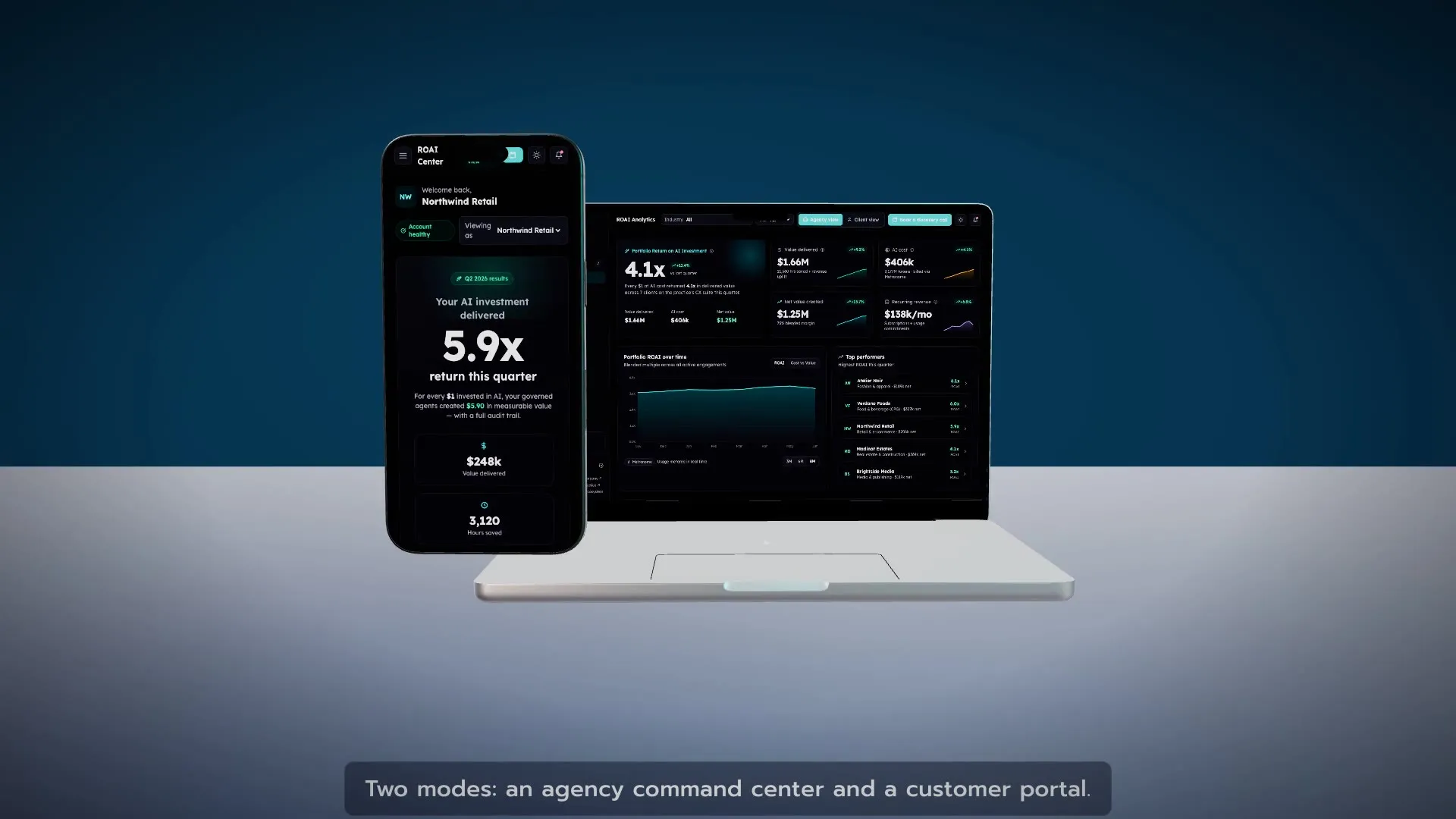
Agency command centre
Review portfolio performance, account health, engagements and billing from one operating view. Follow the figures into the account and the work behind them.
Client portal
Explore the same engagement from a client’s perspective: active work, measured value, product options, usage and billing. Actual workspace access is provided for the agreed engagement.
Return on AI investment
Make the calculation clear.
Start with an agreed definition of value. Where time savings are included, state how they are valued; keep attributed revenue and estimated benefits distinct.
ROAI = (Value − AI cost) ÷ AI cost
- Illustrative AI cost
- $10,000
- Illustrative measured value
- $40,000
- Net value after AI cost
- $30,000
- Net return on AI investment
- 3.0× / 300%
In this example, total value is 4.0× cost and net ROAI is 3.0×. This explains the formula; it is not a client result.
The Vela line
Five focused product capabilities.
Explore the product line through the public interface. API editions are available through Agent Commerce, where each service describes its output and payment requirements.
Explore Agent Commerce ↗Answer-engine optimisation
Vela AEO
A content rewrite, machine-readable site summary and structured-data output built from the information supplied.
Governed assistance
Vela Assist
An answer grounded in supplied context, with claims requiring verification made visible for review.
Recommendation ranking
Vela Recs
A catalogue ranked using embedding similarity, with the scores available to inspect.
Commerce feed validation
Vela Commerce
Product-feed validation and structured data that reflects the fields that passed the checks.
Website diagnostics
Vela Scan
A URL scan covering machine access and relevant discovery signals at the time of the request.
A seven-step walkthrough
Follow the engagement through.
Each step opens the corresponding view in the public application. The guide is designed for exploration; a walkthrough with Emerge connects the demonstration to your organisation’s needs.
Review the portfolio
Start with the agency overview. Inspect the sample return, revenue and margin measures, and see how the accounts connect to the headline view.
Open this view in a new tabUnderstand the value measure
Open analytics. Review the return calculation, the trend and the breakdown by area of work. In a deployment, agree which value measures are evidenced and who owns them.
Open this view in a new tabExplore a demonstration account
Follow one sample account into its projects, services and operating measures. Use the detail to discuss what your own stakeholders would need to see.
Open this view in a new tabInspect the billing pattern
Open Billing → Live to explore the Metronome sandbox integration: contracts, invoices, commits, credits and usage. These are demonstration billing objects.
Open this view in a new tabSwitch to the client’s view
Explore the sample client ROAI Center. Compare the view with the agency side and discuss the reporting and access boundaries your organisation needs.
Open this view in a new tabExplore the product catalogue
Review the marketplace and the Vela product options. Product availability, permissions and commercial terms are confirmed for each deployment.
Open this view in a new tabClose the operating loop
Review the client usage and billing view. Follow how consumption, credits and invoices relate, then identify the records and owners for your own environment.
Open this view in a new tab
From demonstration to deployment
Build around your environment.
Your data, access requirements and operating measures shape the implementation. Select platforms and cloud services for the workflow you need to improve.
- Agree the business outcome, the value measure and the evidence needed to support it.
- Map data sources, permissions, integration boundaries and billing requirements.
- Configure a bounded first workflow, test the operating view and train its owners.
- Review cost and value together, then expand based on the evidence.
Take the guide with you
Keep the next conversation practical.
Vela platform guide
A two-page guide to the demonstration, product line, return calculation and deployment conversation.
Download the guide · PDF ↗PDF · 2 pages · Emerge Digital